
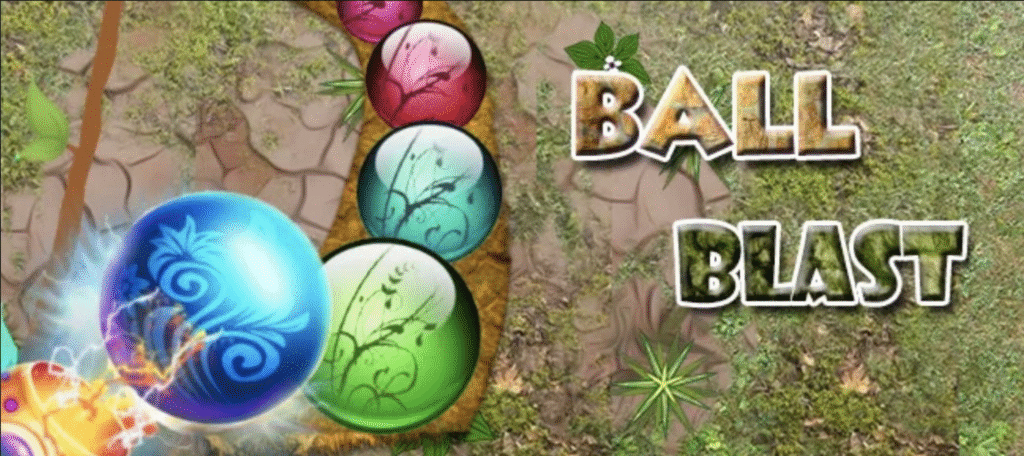
Ship a classic marble shooter without reinventing the wheel. Zuma Ball Blast 1.0 is a Unity project modeled after the chart-topping Zuma mechanic: shoot, chain matches, and stop the marble train before it reaches the skull. The original template ships with 3 worlds × 10 levels = 30 stages and “universal” builds for Android, iOS, Windows, macOS, and Web.
What’s Included
You get a complete Unity project organized for fast edits and clean builds: scenes, prefabs, scripts, and demo content you can study, reskin, or extend.
- 30 handcrafted levels arranged as 3 worlds × 10 with an out-of-the-box campaign.
- Multi-platform support from a single codebase: Android, iPhone/iPad, Mac/PC, and Web (per the original listing).
- Well-organized folders and simple instructions intended for quick setup and tweaks.
- Mirror listings with the same spec for redundancy (helpful if you need a second reference).
Key Features
- Classic loop, tuned for mobile. Continuous marble spawn along spline-like paths, color matching, combo scoring, and clear win/lose conditions tied to the end point—easy to understand, satisfying to master.
- Difficulty that scales cleanly. The three-world structure ramps path complexity and line speed, so you can keep World 1 generous and add pressure as players learn the curves.
- Build once, test everywhere. The project targets phones first but exports cleanly to desktop/web for quick iteration and distribution.
Tech Specs
- Engine baseline: Unity 5.6 (as packaged originally). For modern LTS, open and reimport; update materials/shaders if prompted.
- Platforms: Android, iOS, macOS, Windows, Web (from the template description).
- Content scale at 1.0: 3 worlds / 30 levels ready to tweak or extend.
Original Marketplace Details (for reference)
The SellMyApp product page describes “Zuma Ball Blast – Unity 3D 5.6” with 3 worlds × 10 levels and full universal support (Android, iPhone/iPad, Mac/PC, Web). Third-party mirrors repeat the same spec. Use the original page as the authoritative source.
How to Open & Build
- Match the Unity version. Install the editor that fits the package (origin was 5.6). Newer LTS often works after a reimport—accept upgrade prompts carefully.
- Open the project via Unity Hub → Open (project root) and let assets import.
- Run the sample. Open World 1 → Level 1, press Play, and check the Console for warnings.
- Tune gameplay. In the spawner/path components, adjust line speed, spawn rate, train length, and color set to shape difficulty.
- Build. File → Build Settings → choose Android/iOS/PC/Web. For mobile, verify touch aiming, memory (atlases/audio), and frame-time on low-end devices.
Configuration Deep-Dive
- Spawns & pacing
Start with slower spawns and fewer colors; increase both as mastery rises to reduce RNG spikes and reward planning. - Paths & curves
Use wide, readable curves in early levels. Add tighter bends, intersections, and S-curves in later worlds to raise tension. - Scoring
Encourage precision with chain multipliers and bonus points for last-second reversals near the skull. - UX polish
Telegraph failure clearly—strong VFX/SFX cues as marbles approach the endpoint improve learnability and urgency.
(Component names vary by package; focus on Spawner, Path/Bezier, Shooter, and Score settings in the Inspector.)
Customization & Design Ideas
- Theme swap: Replace marbles, shooter, trails, backgrounds, and UI for a fresh identity.
- Power-ups: Add slow time, reverse line, color bomb, or accuracy boosts as late-level savers.
- World beats: End each world with a spike (tighter bends or double-line moments) and a celebratory payoff.
- Goals: Add star ratings tied to accuracy/chain length to deepen replay.
Balancing & Level-Design Tips
- Teach → test → twist. Introduce a concept, test comprehension, then mix it with speed or bends.
- Limit early colors. Fewer colors increase control and reduce frustration.
- Use bends as beats. Place sharp turns before gaps to force quick target swaps.
- Measure retries. If a level spikes, tweak speed/colors rather than removing curves.
QA & Performance Checklist
- Profile on low-end Android for GC spikes and overdraw.
- Verify portrait scaling on small and tall screens.
- Pool projectiles/FX; debounce high-frequency events.
- Test the desktop mouse vs the mobile touch aiming separately.
- If you add ads/IAP, validate on store-signed device builds.
FAQs
Is it really 30 levels at launch?
Yes, it really has 30 levels at launch—per the template’s description: 3 worlds × 10 levels.
What does “1.0” refer to?
Typically the first public release in this project/app family. You’ll also see mobile builds labeled 1.0 on APK mirrors (not necessarily the same source).
Is it beginner-friendly?
Yes. Systems are compact and readable; most of your difficulty shaping comes from path design and spawn pacing.
Can I publish it as my own game?
Yes—after replacing art/audio you don’t own, adding branding, and testing device input/memory.
Can I redistribute the source on my website?
Only if you own the rights or have written permission. Marketplace licenses generally allow publishing your game but prohibit reposting source or bundled assets.
Conclusion
Zuma Ball Blast 1.0 gives you a clean, proven base to build on—thirty levels, readable systems, and a folder layout that makes reskins and expansions straightforward. Open the project, tweak speed and path shapes, and you’ll feel the difficulty curve respond immediately.
Keep your loop tight: build, test on real devices, tune spawns and curves, retest. Start generous in World 1, add pressure as players learn the reads, and introduce power-ups only when the core feels right. Replace any art/audio you don’t own, add your branding, and include a LICENSE and third-party notices if you’re distributing source.
Ready to move? Download the project, load World 1 – Level 1, adjust the spawner and path settings, and ship your first polished marble-shooter run today.