
Build a clean, addictive chase game with one simple rule: outsmart the cops. Car Vs Cops is a hyper-casual Unity project where you steer a getaway car, draw a path, and lure police cars into a deadly zone. Cut tight turns, bait the cops, and watch them slide into the trap while you rack up points.
The template ships with complete movement logic, enemy AI, scoring, and minimal art that’s perfect for quick reskins.
What’s Included
- Full Unity project with organized folders (Scenes, Prefabs, Scripts, Materials).
- Player car controller with smooth steering and trail/road system.
- Police car AI that chases, follows, and reacts to player movement.
- “Danger zone” / hole mechanic that destroys cops on contact.
- Score and wave system (more cops spawn as you survive longer).
- Simple UI: score display, game over screen, restart button.
- Demo assets (cars, hex-grid floor, hole mesh, basic SFX).
Key Features
- One-Finger Controls: Drag or hold to steer the car, easy to play on any device.
- Chase Mechanics: Police cars lock onto the player and try to intercept.
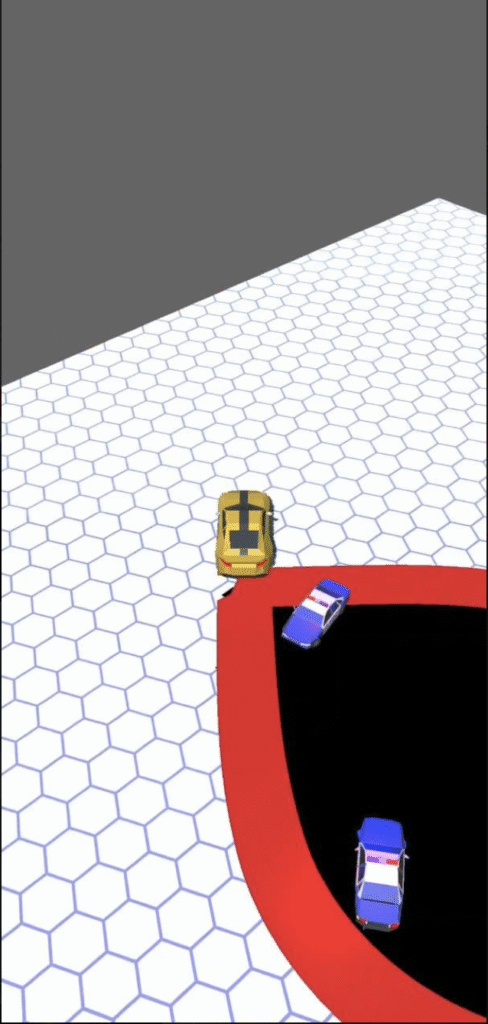
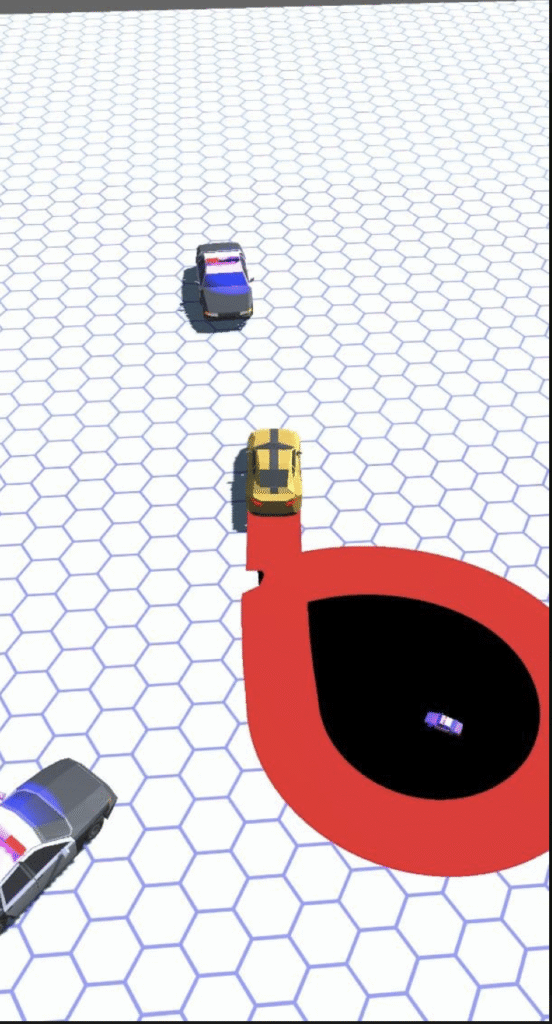
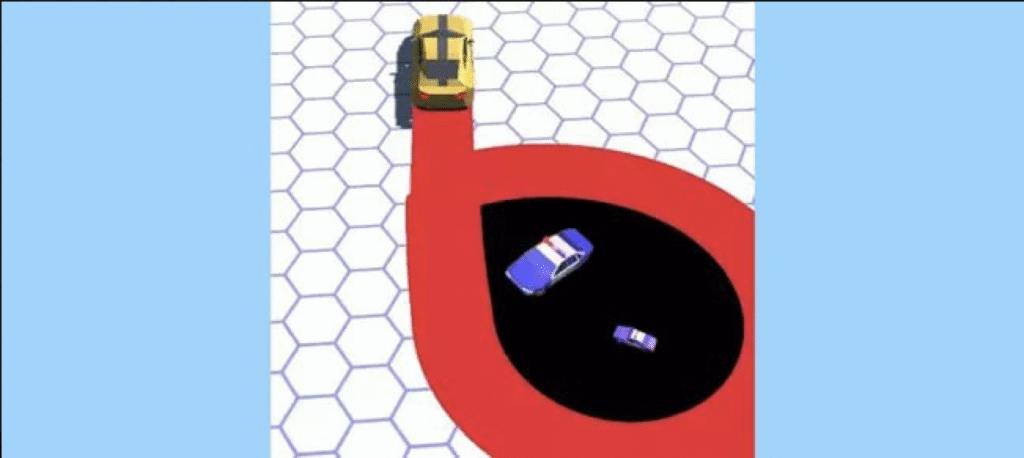
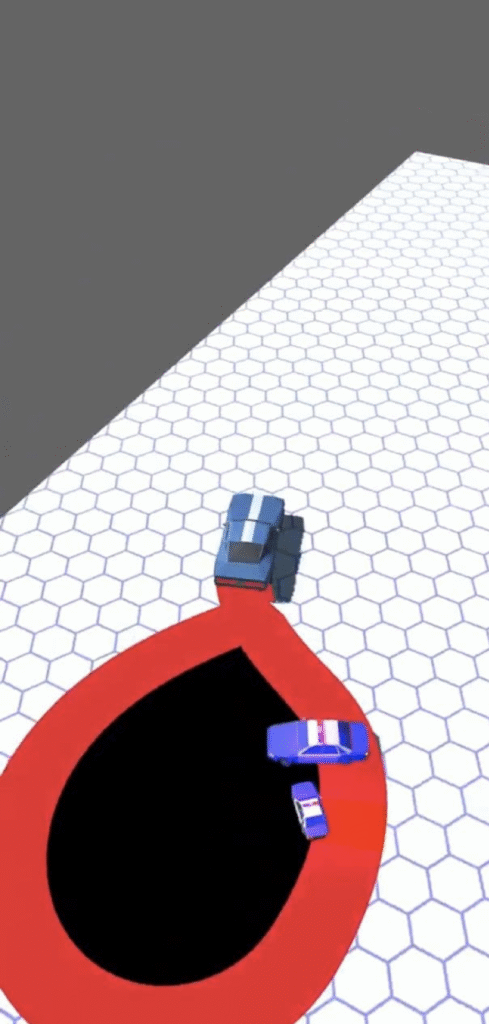
- Trap System: Lure cops across the red zone and into the black hole to destroy them.
- Endless Waves: The longer you survive, the more cops spawn and the harder it gets.
- Minimalist Visuals: Hex-grid arena and low-poly cars ideal for fast reskinning.
- Score Chasing: Earn points for every cop taken out and every second you survive.
- Mobile-First Design: Lightweight build with smooth performance on Android/iOS.
Tech Specs
- Engine baseline: Unity 2019.x+ (compatible with newer LTS).
- Platforms: Android, iOS; desktop/WebGL export possible.
- Package size: Very lightweight; mostly code and simple meshes.
- Controls: Touch/drag for mobile, mouse input for desktop testing.
- Monetization hooks: Easy to plug in interstitial, banner, or rewarded ads.
How to Open & Build
- Install Unity: Use 2019.x or newer.
- Open project root: Load the project into the Unity Hub/Editor.
- Run demo: Open the Main scene and press Play to test the car and cop AI.
- Customize: Change car models, colors, arena material, spawn rates, and speed in the Inspector.
- Build: Export to Android/iOS, add your ad SDKs, and test on real devices.
Gameplay & Design Deep-Dive
Arena Layout:
The action takes place on a clean hex-grid floor, keeping the focus on the chase. The arena can be resized or re-shaped easily.
Chase Logic:
Police cars continuously steer towards the player, predicting the car’s direction and forcing you into tight maneuvers. Collisions with the player end the run; collisions with the trap reward you.
Trap / Hole Mechanic:
As you drive, a red path leads into a black hole zone. Cops that cross the edge slide into the hole and are destroyed, triggering score gains and spawn logic for the next wave.
Difficulty Curve:
With time, more cops spawn and their speed increases, creating a natural difficulty ramp without complex level design.
Customization Ideas
- New Themes: Swap the hex-grid for city streets, desert sand, neon arenas, or ice tracks.
- Different Vehicles: Add sports cars, tanks, monster trucks, or sci-fi hovercrafts.
- Power-Ups: Temporary speed boost, slow-motion, shield, or double score.
- Missions: “Survive 60 seconds”, “Destroy 20 cops”, or “No-hit” challenges.
- Cosmetics: Unlock paint jobs, trails, rims, and exhaust effects.
- Leaderboards: Integrate Google Play Games / Game Center for high-score competition.
QA & Performance Checklist
- Test steering sensitivity on various screen sizes and aspect ratios.
- Verify cop AI doesn’t get stuck on arena edges or clip through geometry.
- Check that the hole/trap collider always detects cops accurately.
- Confirm the score and wave systems reset correctly on restart.
- Profile performance when many cops are active on low-end Android devices.
- Ensure ad calls (if added) don’t interrupt core gameplay or cause lag.
FAQs
Is this endless or level-based?
It’s endless by default with wave-based difficulty; you can add missions or stages if needed.
Can I change the arena?
Yes—replace the floor mesh/material or expand the arena size directly in the scene.
Can I use my own car models?
Absolutely. Swap the demo cars with your own 3D models and adjust colliders.
Does it include power-ups?
The base project focuses on chase and trap mechanics—you can easily add your own power-up scripts.
Is it beginner-friendly?
Yes. The scripts are short and clean, ideal for learning AI chasing, simple physics, and hyper-casual design.
Conclusion
Car Vs Cops gives you a complete hyper-casual chase framework in Unity: tight one-finger controls, police AI, trap mechanics, and a clean minimalist arena. It’s quick to reskin, easy to extend, and perfect for prototypes, portfolio pieces, or a ready-to-publish mobile title.
Open the main scene, start the chase, and you’ll instantly feel the “just one more run” loop in action. Drop in your own cars, tweak the speeds, connect your ad SDKs, and you’ll have a launch-ready Car Vs Cops game in no time.