
Ship a physics-based arcade classic with clean mechanics. Bouncy Ball is a Unity project built around simple, addictive play: tap to control a ball as it bounces, avoid hazards, and survive longer to rack up high scores. The template is packaged for quick edits and multi-platform export, making it an ideal starting point for casual reskins or endless mode variations.

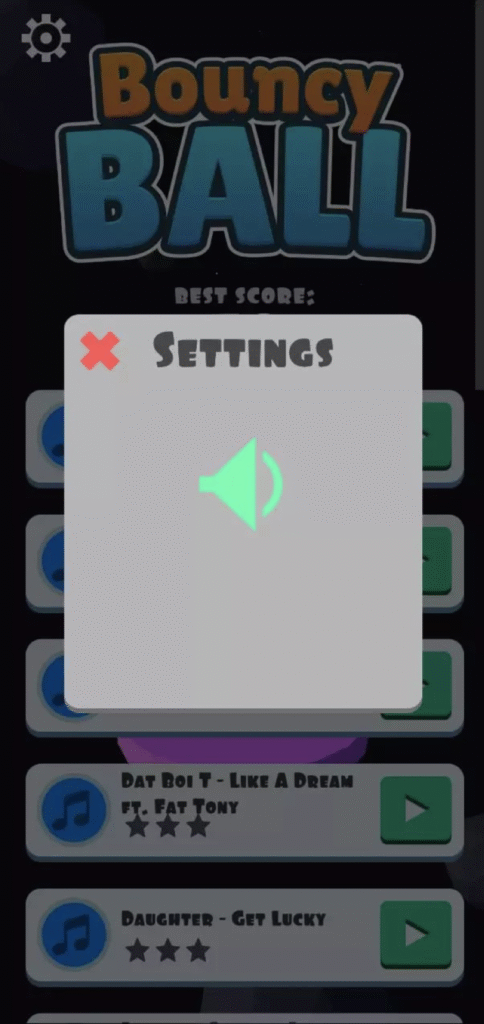
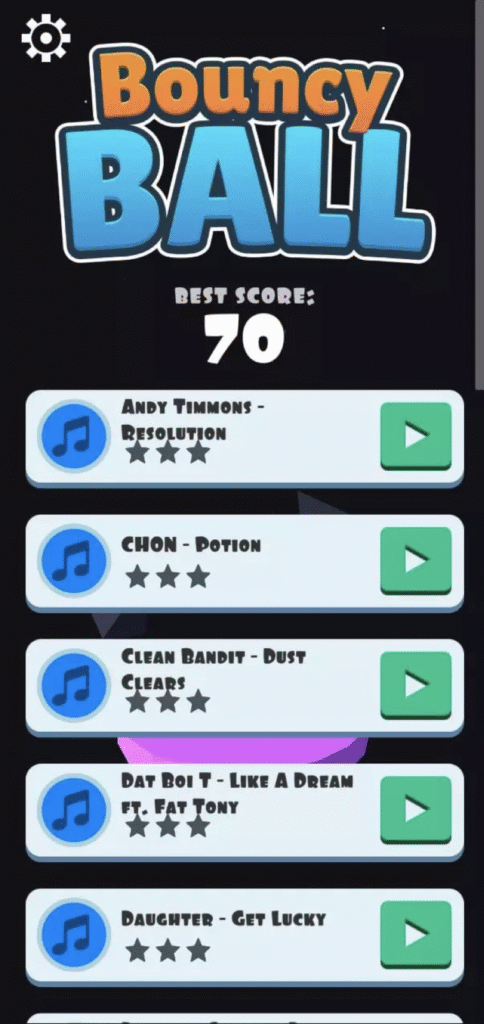

What’s Included
- Complete Unity project with scenes, prefabs, and scripts.
- Ball physics system tuned for arcade responsiveness.
- Demo assets (ball, obstacles, UI) ready to replace or extend.
- Simple score/health/lives management system.
- Ready-to-build project for Android, iOS, PC, and Web.
Key Features
- Addictive Tap-to-Control Gameplay: One-touch input keeps the loop fast and intuitive.
- Physics-Driven Fun: Authentic bounce mechanics tuned for mobile feel.
- Dynamic Hazards: Spikes, moving blocks, and falling obstacles that escalate tension.
- Endless Replayability: Procedural difficulty scaling ensures fresh runs.
- Lightweight Build: Quick to compile, smooth on low-end devices.
- Monetization Ready: AdMob/Unity Ads hooks available for integration.
Tech Specs
- Engine baseline: Unity 2018 (original template). Compatible with newer LTS after reimport.
- Platforms: Android, iOS, Windows, macOS, WebGL.
- Content scale: Endless gameplay with scaling hazards; no hard level cap.
- Project size: Lightweight package (<200 MB).
How to Open & Build
- Install Unity: Use Unity Hub and add 2018.x (or newer LTS).
- Open project root: Let Unity import all assets.
- Run demo scene: Open BouncyBall.unity and hit Play.
- Adjust gameplay: Tweak bounce force, gravity scale, or obstacle speed in the Inspector.
- Build Settings: Choose Android/iOS/Web and test on target devices.
Gameplay & Design Deep-Dive
- Difficulty Curve: Early play keeps obstacles sparse; hazard density scales with time.
- Physics Tuning: Bounce force, gravity, and drag values are exposed for easy tweaking.
- Scoring: Increment score by survival time, collectibles, or combo bounces.
- Hazard Design: Mix static and moving obstacles for rhythm breaks.
- Replay Loop: Quick restart keeps players engaged in short bursts.
Customization Ideas
- Theme Swap: Replace the ball with emojis, planets, or branded mascots.
- Power-Ups: Add shields, slow-motion, or double-jump mechanics.
- Level Modes: Introduce “challenge stages” alongside endless runs.
- Visual Style: Minimal neon, cartoon, or flat-design palettes adapt well.
QA & Performance Checklist
- Profile on low-memory Android devices for GC spikes.
- Verify bounce physics at different screen aspect ratios.
- Test one-touch controls on both portrait and landscape orientations.
- Optimize obstacle spawn rates to avoid frame stutter.
- Confirm UI scaling on tall-screen devices (notch/punch-hole).
FAQs
Is this a level-based or endless game?
The base template ships as endless survival, but you can add discrete level scenes easily.
Can I reskin it quickly?
Yes. Swap ball sprites/models, obstacles, and UI elements to create a fresh identity.
Does it require coding knowledge?
Basic Unity familiarity helps, but scripts are compact and well-commented.
Can I monetize it?
Yes. AdMob/Unity Ads integration is supported; you can also add IAPs for skins or power-ups.
Is it beginner-friendly?
Very. It’s one of the simplest Unity projects to learn physics and endless gameplay loops.
Conclusion
Bouncy Ball is a compact, versatile Unity starter kit for casual physics-based fun. Its endless bounce loop is quick to pick up, infinitely replayable, and customizable with new hazards, power-ups, or themes. Whether you’re learning Unity basics or preparing a polished reskin for the app stores, this project gives you a clean foundation.
Open BouncyBall.unity, tweak gravity and bounce, replace art/audio, and launch your own addictive arcade game today.