
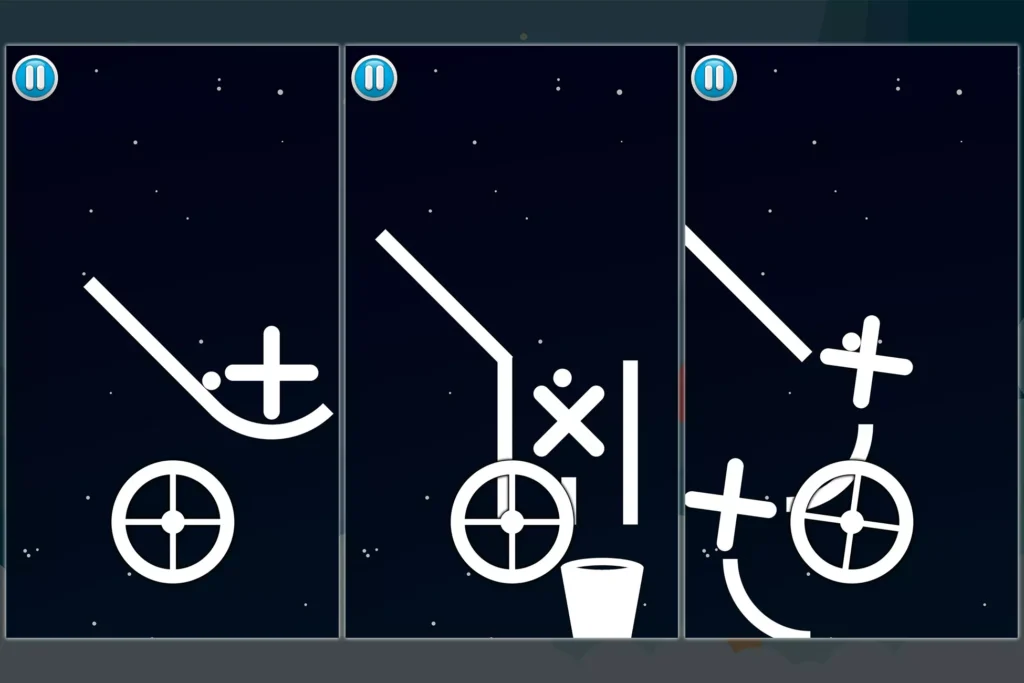
Flippy Platforms is a simple and creative Unity puzzle game in which the player rotates platforms to guide a ball toward the exit. Instead of controlling the ball directly, the player spins a wheel that changes the angle of every platform in the level.
Each move affects the full puzzle. Players must study the level, rotate the floors carefully, avoid obstacles, and create a safe path for the ball.
The project includes 21 ready-made levels and can be used as a starting point for creating a mobile physics puzzle game. The levels are easy to edit, and developers can also create additional stages using the existing game system.
Game Overview
The main goal in Flippy Platforms is to help the ball reach the exit point.
The player uses the wheel control to rotate all the platforms placed inside the level. As the platforms turn, gravity causes the ball to roll, drop, or move in a different direction.
Players must find the correct platform position before the ball falls into the wrong area or becomes trapped by an obstacle.
The game combines:
- Puzzle-solving
- Physics-based ball movement
- Platform rotation
- Timing
- Obstacle avoidance
- Level progression
The controls are easy to understand, but completing every level requires planning and careful movement.







How to Play Flippy Platforms
Playing Flippy Platforms is simple:
- Start a level.
- Study the position of the ball, platforms, obstacles, and exit.
- Spin the on-screen wheel.
- Rotate all platforms inside the level.
- Use gravity to move the ball.
- Avoid dangerous areas and incorrect paths.
- Guide the ball safely toward the exit.
- Complete the stage and unlock the next puzzle.
Players do not move the ball with direct buttons. They control the environment around it, making every platform part of the puzzle.
Spin the Wheel and Rotate the Floors
The main gameplay feature is the rotating wheel.
When the player spins the wheel, all connected platforms rotate together. This changes the direction in which the ball can roll or fall.
A small movement may create a safe path, while a large rotation may send the ball toward a different platform. Players must understand how each floor reacts before making their next move.
This mechanic makes the gameplay easy to learn while still providing room for difficult and creative puzzles.
Physics-Based Ball Movement
The ball reacts to gravity and the changing angles of the platforms.
When a floor tilts:
- The ball can roll left or right
- The ball can fall onto a lower platform
- The ball can move around an obstacle
- The ball can enter a new section of the level
- The ball can reach the exit
- The ball can fall into an unsafe area
The physics system helps make every movement feel natural and gives players immediate feedback after rotating the floors.
Guide the Ball to the Exit
Every level has an exit that the player must reach.
The player needs to find a safe route through the level by changing the direction of the platforms. Some solutions may require several rotations before the ball can move through the complete puzzle.
Players may need to:
- Move the ball onto a lower floor
- Stop it from falling too early
- Change the direction of its movement
- Position a platform beneath it
- Avoid level obstacles
- Create a final path toward the exit
The level is completed when the ball reaches its destination.
21 Ready-Made Puzzle Levels
Flippy Platforms includes 21 playable levels with different platform arrangements and obstacle combinations.
The existing levels provide a complete base game that can be tested, customized, and expanded. Developers can edit these stages or use them as examples when creating new puzzles.
The original developer states that the project is easy to edit and that additional levels can be created using the existing setup.
Increasing Puzzle Difficulty
The level system allows the game to become more challenging as the player progresses.
Early levels can help players understand:
- How the wheel works
- How the platforms rotate
- How gravity moves the ball
- How to reach the exit
Later puzzles can use:
- More platforms
- Narrow paths
- Difficult platform angles
- Multiple drops
- Complex obstacle arrangements
- Longer routes to the exit
- More precise timing
Developers can change the existing level order or create a new difficulty system for their customized version.
Key Features of Flippy Platforms Unity Source Code
- Complete Unity puzzle game project
- Ready-made core gameplay
- Spin-the-wheel control system
- Rotating floor mechanic
- Physics-based ball movement
- Guide-the-ball gameplay
- 21 included puzzle levels
- Different obstacle combinations
- Level progression system
- Easy-to-understand controls
- Simple user interface
- Mobile-friendly puzzle concept
- Easy level editing
- Ability to create additional stages
- Menu navigation system
- Suitable points for advertisement implementation
- Easy graphics replacement
- Simple game reskinning
- Suitable for Android and iOS preparation
- WebGL demo version available from the original developer
- Lightweight Unity project
- Complete project template
- Suitable for casual and puzzle game development
Easy Level Editing
One of the main benefits of this Unity source code is its editable level structure.
Developers can modify the existing stages by changing:
- Platform positions
- Platform sizes
- Platform angles
- Ball starting position
- Exit position
- Obstacle placement
- Level boundaries
- Background design
- Puzzle difficulty
- Number of required movements
You can also duplicate an existing scene or level structure and use it as a starting point for a new puzzle.
Before making major changes, save a backup copy of the original project.
Add More Levels
The included 21 stages can be expanded by creating additional platform combinations.
New levels can introduce:
- Moving obstacles
- Smaller platforms
- Multiple balls
- Locked platforms
- Breakable floors
- Teleport points
- Rotating hazards
- Timed puzzles
- Collectible stars
- Limited wheel movements
- Different gravity strengths
- Bonus exits
- Hidden paths
- Checkpoints
Advanced additions may require changes to the C# scripts.
Complete Project Template
Flippy Platforms is presented as a complete project that can be customized and prepared for release.
The core game mechanic, menu navigation, levels, physics, and puzzle structure are already included. This allows developers to begin with a working game instead of programming the complete system from the beginning.
Menu Navigation System
The project includes a script named GameMenus.cs.
According to the developer, this script manages navigation through different game menus. It can also help developers identify suitable moments for showing advertisements, such as when a user changes menus or completes a level.
Possible menus may include:
- Main menu
- Level-selection screen
- Gameplay screen
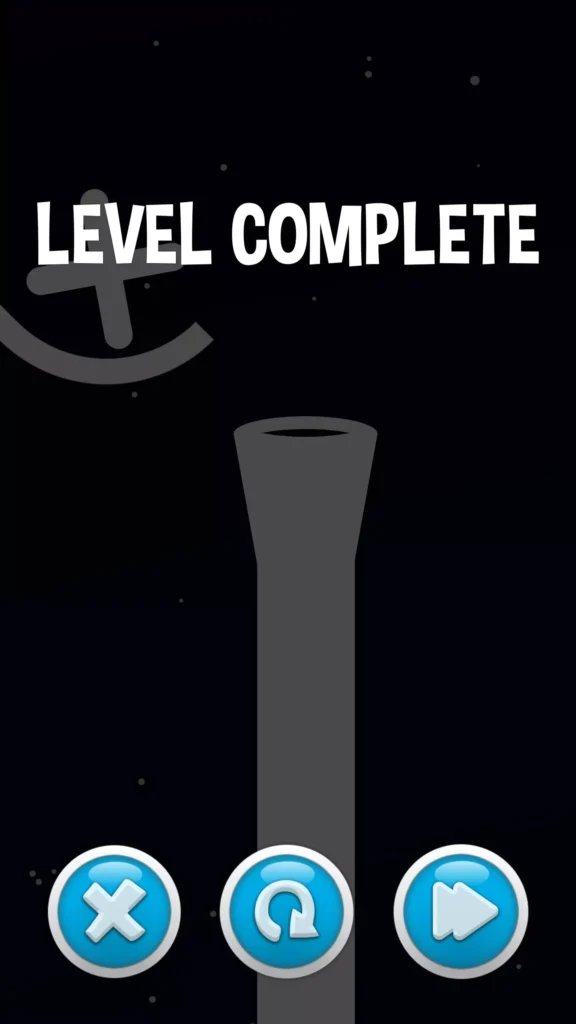
- Level-complete screen
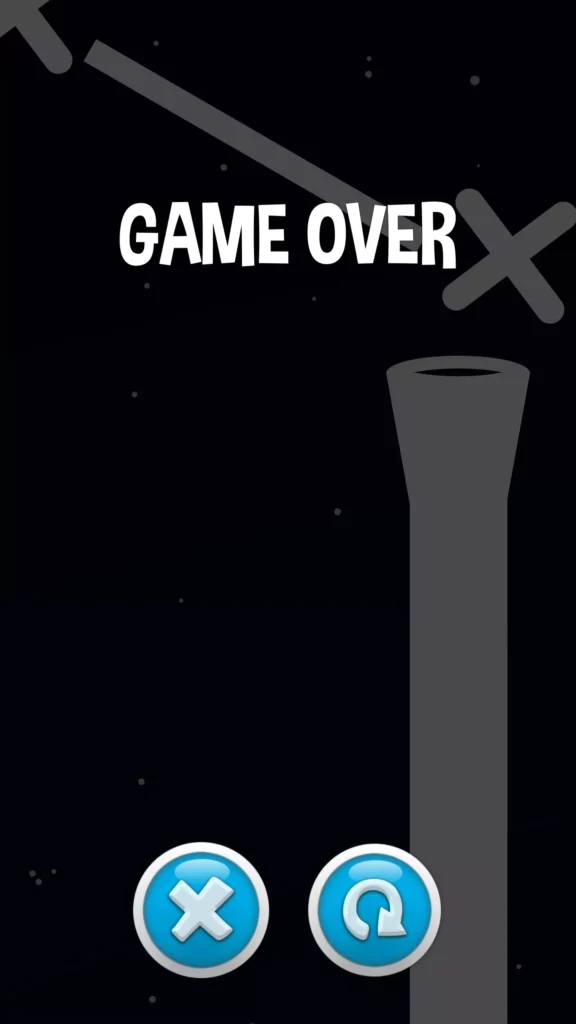
- Pause menu
- Restart option
- Next-level option
The exact menu design can be changed to match your new game theme.
Advertisement Implementation
The original listing describes advertisement implementation as easy, but it does not state that AdMob, Unity Ads, or another advertising network is already integrated.
Developers can connect their preferred advertising SDK and use the menu-navigation or level-completion events as advertisement triggers.
Possible advertisement placements include:
Interstitial Advertisements
Interstitial ads can be displayed:
- After completing several levels
- When returning to the main menu
- After restarting a stage several times
- Between selected puzzle levels
Avoid displaying an advertisement after every small action because excessive ads can reduce player retention.
Rewarded Video Advertisements
Rewarded videos can be added to offer:
- A level solution
- A puzzle hint
- A level skip
- An extra chance
- Removal of an obstacle
- Additional wheel movements
- Temporary slow motion
- A checkpoint restore
Banner Advertisements
Banner ads can be placed on menu screens where they do not cover the wheel, platforms, exit, or other important gameplay elements.
Monetization Ideas
Flippy Platforms can be developed into a monetized mobile puzzle game using several methods.
Advertising Revenue
Add an advertising SDK and display banner, interstitial, or rewarded video ads at suitable points.
Remove Ads Purchase
Offer a one-time in-app purchase that removes regular banner and interstitial advertisements.
Level Packs
Create additional groups of levels and sell them as premium puzzle packs.
Examples include:
- Beginner Pack
- Advanced Pack
- Space Pack
- Mechanical Pack
- Neon Pack
- Extreme Challenge Pack
Hint System
Players can watch a rewarded advertisement or spend in-game coins to receive a clue.
A hint could show:
- The correct rotation direction
- The first required movement
- The safe platform
- The correct route to the exit
Level Skip
Allow users to skip a difficult stage through a rewarded advertisement or an in-app purchase.
Cosmetic Themes
Offer different visual themes for the ball, wheel, platforms, and backgrounds.
Easy to Customize and Reskin
The simple puzzle design makes this project suitable for reskinning.
You can replace:
- Game name
- Application icon
- Splash screen
- Main-menu design
- Wheel graphic
- Ball design
- Platform textures
- Floor colors
- Exit design
- Obstacles
- Background images
- Sound effects
- Background music
- Buttons
- Fonts
- Level-selection screen
- Level-complete screen
- User-interface colors
You can also change the overall theme without removing the main gameplay mechanic.
Reskin and Game Theme Ideas
The Flippy Platforms system can be converted into different puzzle-game themes.
Space Gravity Puzzle
Replace the ball with a small planet, rotate space platforms, and guide it toward a portal.
Factory Ball Escape
Use mechanical floors, gears, metal obstacles, and an industrial exit door.
Marble Maze Puzzle
Turn the game into a marble puzzle with wooden platforms and realistic rolling sounds.
Candy Ball Adventure
Use bright candy platforms, sweet obstacles, and a colorful goal area.
Neon Platform Puzzle
Create glowing platforms, dark backgrounds, neon effects, and electronic sound effects.
Dungeon Escape Ball
Use stone floors, spikes, torches, gates, and a magical exit portal.
Robot Energy Core
Replace the ball with an energy core that must move through a machine and reach a power station.
Water Drop Puzzle
Use a water-drop character and rotate pipes or platforms to guide it toward a container.
Jungle Fruit Roll
Replace the ball with a fruit and use wooden bridges, plants, rocks, and jungle obstacles.
Snowball Platform Challenge
Guide a snowball over icy platforms while avoiding dangerous gaps.
Technical Specifications
| Technical Detail | Information |
|---|---|
| Game Engine | Unity |
| Project Type | Puzzle game template |
| Gameplay Style | Physics-based platform rotation |
| Included Levels | 21 |
| Main Control | Spin wheel to rotate platforms |
| Main Objective | Guide the ball to the exit |
| Latest Listed Version | 1.0 |
| Original Unity Version | Unity 2017.1.5 |
| Listed File Size | 2.0 MB |
| Original Release Date | April 7, 2020 |
| Menu Script | GameMenus.cs |
| Advertisements | Implementation points provided; ad SDK not confirmed as included |
| Level Editing | Supported |
| Additional Levels | Can be created |
| License | Unity Asset Store licence applies |
The version, file size, release date, and original Unity version are taken from the current Unity Asset Store listing.
Unity Version Information
The original listed Unity version is Unity 2017.1.5.
For the safest setup, first try opening the project with the original Unity version or a nearby compatible release.
Opening an older project directly in a much newer Unity version may cause:
- API upgrade warnings
- Physics differences
- Rendering changes
- Package errors
- Input-system problems
- Script compilation errors
- Scene or prefab changes
Always create a complete backup before allowing Unity to upgrade the project.
Supported Publishing Platforms
The project has been offered as a template suitable for preparing games for platforms such as:
- Android
- iOS
- WebGL
- Windows
- macOS
Platform support depends on the Unity version, build modules, plugins, SDKs, and changes made by the developer.
The original seller provided Android APK and WebGL testing options, while another official marketplace listing describes it as suitable for Play Store and App Store preparation.
What You Will Get
The project package is expected to include:
- Complete Flippy Platforms Unity project
- Core gameplay scripts
- Wheel-rotation system
- Physics-based ball controller
- Platform mechanics
- Exit and level-completion system
- 21 puzzle levels
- Menu-navigation system
GameMenus.csscript- Existing game graphics
- User-interface elements
- Scenes and project settings
- Editable level structure
The exact package contents should be reviewed after import because asset-store packages can be updated or reorganized by their publishers.
Who Can Use This Unity Project?
This Unity source code can be useful for:
- Beginner Unity developers
- Students learning game development
- Independent mobile-game developers
- Puzzle-game creators
- Freelancers developing games for clients
- Game-reskinning businesses
- Small development studios
- Publishers looking for a simple game foundation
- Developers learning physics-based mechanics
- Developers studying level progression
Basic Unity Editor knowledge is recommended. C# knowledge will be helpful when adding new mechanics, advertisements, purchases, or advanced level features.
Why Use This Source Code?
Creating a complete physics puzzle game from the beginning can require time for planning, programming, testing, user-interface development, and level creation.
This source code already provides:
- A working puzzle concept
- A rotating-platform mechanic
- Physics-based ball movement
- Menu navigation
- Level completion
- 21 existing stages
- An expandable level structure
You can use this foundation to focus on improving the visual design, expanding the gameplay, adding monetization, and preparing a more original version.
Suggested Improvements
Before publishing, consider adding new features that make your version more complete and original.
Useful improvements include:
- More puzzle levels
- Level stars
- A move counter
- Best-score tracking
- Sound settings
- Vibration settings
- Daily rewards
- Hint system
- Rewarded level skips
- New ball skins
- Different platform themes
- Background music
- Improved visual effects
- Particle effects
- Level-transition animations
- Cloud saving
- Achievements
- Leaderboards
- Privacy-consent screen
- Tutorial levels
- Loading screen
- Localization
- Updated Unity compatibility
- Modern advertisement SDK
How to Open the Unity Project
- Install Unity Hub.
- Install the original or a compatible Unity Editor version.
- Download the asset through your licensed Unity Asset Store account.
- Create or open a suitable Unity project.
- Import the downloaded asset package.
- Allow Unity to compile all scripts.
- Check the Console window for errors.
- Locate the included scenes.
- Open the main-menu scene.
- Enter Play Mode and test the game.
- Review the scripts before changing project settings.
- Create a backup before upgrading Unity.
Another marketplace listing for the same project instructs users to start the mainMenu scene inside the Scenes folder. Confirm the exact scene name after importing your licensed copy.
How to Prepare the Game for Publishing
Before publishing your customized version:
- Change the game title
- Change the package name
- Replace the application icon
- Replace the splash screen
- Update the menus
- Replace the main graphics
- Add original sounds and music
- Test every level
- Add more levels if needed
- Integrate your advertisement SDK
- Add a privacy-consent system
- Create a privacy policy
- Configure Android or iOS settings
- Update required plugins
- Test on real devices
- Fix different screen-size issues
- Create store screenshots
- Create a feature graphic
- Write an original store description
- Review third-party asset licences
- Check current store policies
- Build a signed release version
Recommended Reskinning Checklist
A strong reskin should include more than a new title and icon.
Change the following elements:
- Main visual theme
- Ball model or sprite
- Platform appearance
- Wheel control design
- Background
- Exit object
- Obstacles
- Menu graphics
- Button design
- Fonts
- Sound effects
- Music
- Level arrangements
- Puzzle difficulty
- Game progression
- Store screenshots
- Promotional graphics
Adding original mechanics and levels will help make the final game more different from the base template.
Important Notes
- This is an older Unity project originally created for Unity 2017.1.5.
- Back up the project before upgrading it.
- Advertisements are not confirmed as pre-integrated.
- You will need to add and configure your preferred advertisement SDK.
- Test all scripts after upgrading Unity.
- Replace the original branding before publishing.
- Check the licences of all included third-party files.
- Test every level on real devices.
- Add your own privacy policy and consent system when using advertisements or analytics.
- App-store acceptance is not guaranteed.
- Publishing requirements may have changed since the project’s original release.
- Purchase and use the project according to the applicable Unity Asset Store licence.
Frequently Asked Questions
What is Flippy Platforms?
Flippy Platforms is a Unity puzzle game in which players rotate platforms by spinning a wheel and use gravity to guide a ball toward the exit.
Is this a complete Unity project?
Yes. The publisher describes it as a complete project that is ready to be customized and prepared for release.
How many levels are included?
The project includes 21 puzzle levels.
Can I add more levels?
Yes. The developer states that the levels are easy to edit and that additional stages can be created.
What is the main control system?
The player spins an on-screen wheel. This rotates the platforms inside the level and changes the ball’s movement.
Does the player control the ball directly?
No. The player controls the platforms, while gravity and physics move the ball.
Can I publish the game on Android?
The project can be prepared for Android, but an older Unity project may require upgrades to meet current Android and Google Play requirements.
Can I publish the game on iOS?
It can be prepared for iOS using Unity, Xcode, an Apple Developer account, updated plugins, and the required store configuration.
Can I build a WebGL version?
The original developer provided a WebGL demonstration, indicating that the game has been built for WebGL. Compatibility should be tested after making changes.
Is the game easy to reskin?
Yes. The simple graphics, levels, menus, platforms, ball, and backgrounds can be replaced with a different visual theme.
Is coding knowledge required?
Basic Unity knowledge may be enough for simple graphic replacements and level edits. C# knowledge is recommended for advertisements, new mechanics, scoring systems, or major changes.
Can I use the source code commercially?
Commercial use depends on the licence under which you purchase the project. Review and follow the Unity Asset Store EULA and any third-party asset terms.
Download Flippy Platforms Unity Source Code
Build your own physics-based puzzle game with the Flippy Platforms Unity source code.
Rotate the floors, guide the ball through different obstacles, customize the included 21 levels, add your own graphics, and expand the project with new challenges and monetization features.
Download Flippy Platforms Unity source code and start creating your customized platform-rotation puzzle game.