
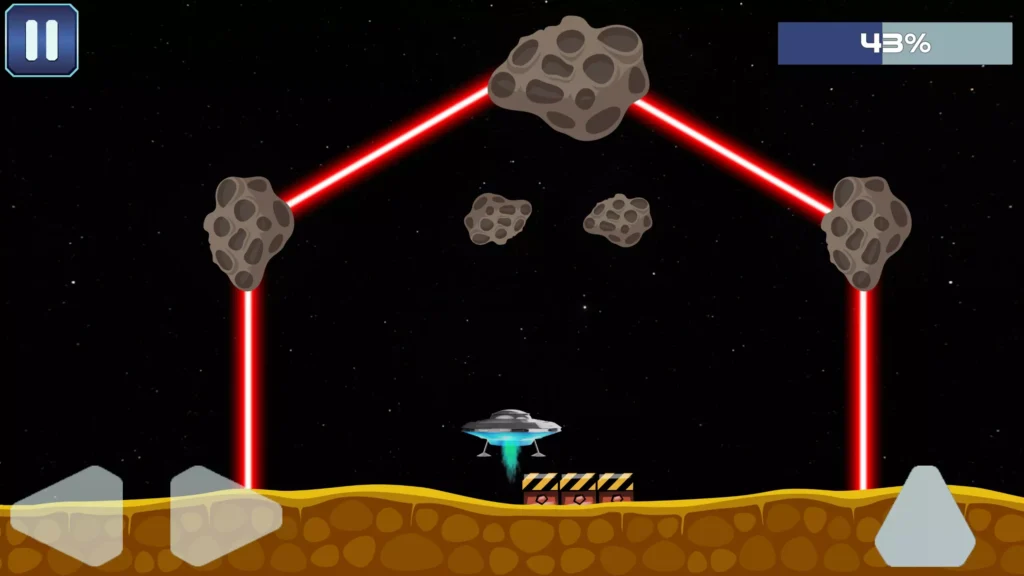
Mission to Mars is a space-themed Unity landing game in which players control a flying saucer and attempt to land safely on different platforms.
The game follows the classic lunar-lander style of gameplay. Players use the on-screen controls to move the UFO, avoid asteroids, manage their limited fuel, and complete each landing mission without crashing.
Every movement must be controlled carefully. Using too much power can waste fuel or push the flying saucer away from the platform. Moving too slowly may cause the UFO to collide with an obstacle or miss the landing area.
The complete project includes 15 different levels and can be customized with new UFO designs, planets, landing platforms, backgrounds, sound effects, menus, and gameplay features.
Game Overview
The main goal of Mission to Mars is to land the UFO safely on every marked platform.
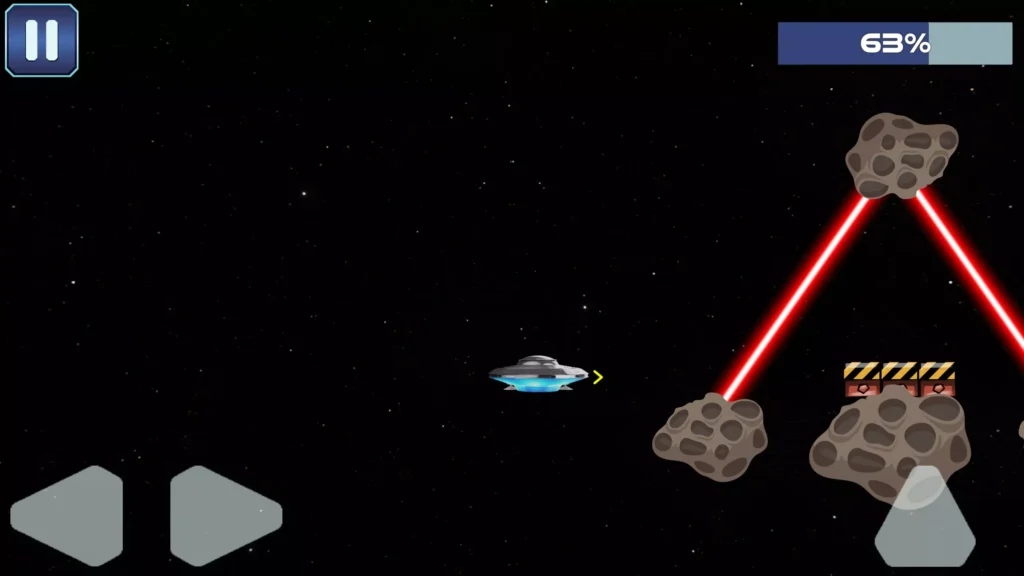
Players must control the direction and movement of the spacecraft while travelling through dangerous space environments. Asteroids and other obstacles can block the route, so the player must choose a safe path before attempting the landing.
Fuel is also limited. Players cannot keep using the UFO’s thrusters without thinking. Each movement consumes fuel, making control and timing important parts of the gameplay.
Mission to Mars combines:
- UFO flying controls
- Space exploration
- Fuel management
- Platform landing
- Asteroid avoidance
- Precision movement
- Level-based progression
- Classic lunar-lander gameplay
The controls are simple to understand, but landing the flying saucer correctly requires patience and skill.

How to Play Mission to Mars
Playing Mission to Mars is simple:
- Start the selected mission.
- Use the on-screen controls to move the UFO.
- Control the flying saucer’s direction carefully.
- Avoid asteroids and other obstacles.
- Watch the remaining fuel.
- Approach the landing platform slowly.
- Keep the UFO balanced above the platform.
- Land safely without crashing.
- Complete the level and continue to the next mission.
Using less fuel can make the landing more efficient and add another challenge for skilled players.
Control the Flying Saucer
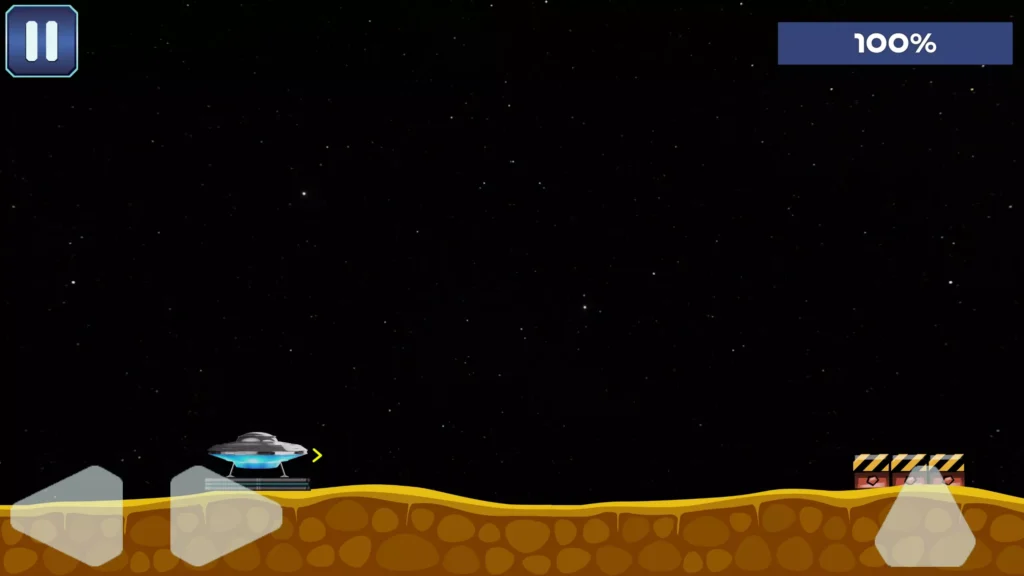
The player controls a UFO travelling above the surface of Mars.
On-screen controls allow the player to adjust the spacecraft’s movement. The exact movement must be controlled carefully because the UFO can quickly move away from the landing zone.
Players may need to:
- Move the UFO upward
- Control its horizontal direction
- Slow its fall
- Avoid nearby asteroids
- Balance above the landing platform
- Correct the landing angle
- Reduce speed before touching the ground
The control system is suitable for mobile devices and can also be adapted for keyboard, controller, or other input methods.
Land Safely on Every Platform
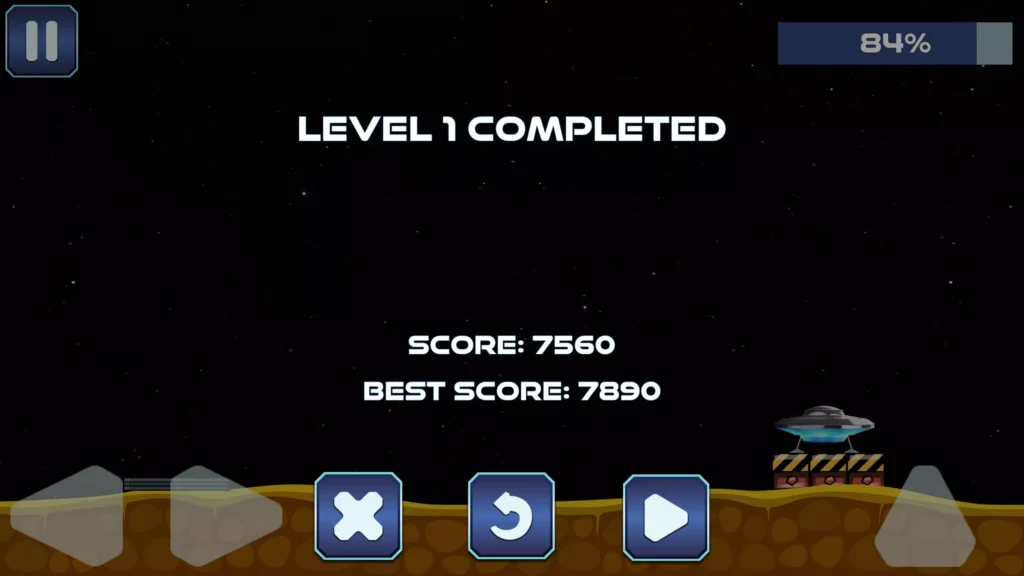
Each level contains a landing platform that the player must reach.
The player must position the UFO above the marked area and reduce its movement before landing. Approaching the platform too quickly or from the wrong direction may cause the spacecraft to crash.
A successful landing requires:
- Correct positioning
- Controlled speed
- Careful fuel usage
- Good timing
- Obstacle awareness
- Smooth final movement
The landing mechanic gives the game a simple objective while still creating challenging gameplay.
Manage the UFO’s Fuel
Fuel management is an important part of Mission to Mars.
Every time the player activates the flying controls, the UFO uses fuel. Players must complete the mission before the available fuel runs out.
This encourages players to avoid unnecessary movement and find a direct path toward the landing platform.
Good fuel management can include:
- Planning the route before moving
- Using short control inputs
- Avoiding unnecessary height
- Correcting movement early
- Approaching the platform slowly
- Reducing repeated direction changes
A fuel-based system can also be used to calculate the player’s final level score.
Avoid Asteroids and Obstacles
The space environment contains asteroids and other objects that can make landing more difficult.
Players must move around these hazards without losing control of the UFO. Contact with an asteroid may damage the spacecraft, restart the mission, or cause the player to lose the level.
Obstacle arrangements can require players to:
- Fly through narrow spaces
- Change direction quickly
- Move above large asteroids
- Descend between hazards
- Approach the landing platform from a safe side
- Save enough fuel for the final landing
Different obstacle patterns help keep the levels challenging.
15 Different Landing Levels
Mission to Mars includes 15 levels with different landing challenges.
Each level can use a new arrangement of platforms, asteroids, obstacles, and starting positions. As players progress, the missions can become more difficult and require better control.
Early levels can teach players:
- How to move the UFO
- How fuel is consumed
- How to slow the spacecraft
- How to land on a platform
Later levels can introduce:
- More asteroids
- Narrower paths
- Smaller landing zones
- Difficult starting positions
- Limited fuel
- Longer flight routes
- More precise landings
The existing stages can also be edited or used as a base for creating additional missions.
Classic Lunar Lander Gameplay
Mission to Mars is inspired by classic lunar-lander games.
The main gameplay is based on controlling a spacecraft while gravity and movement affect its position. The player must use the available thrust to slow the UFO and guide it toward a safe landing area.
This style of gameplay is easy to understand because every level has a clear goal. However, small control mistakes can change the UFO’s movement and make the landing difficult.
The combination of simple controls and precision-based challenges makes the concept suitable for casual and arcade players.
Key Features of Mission to Mars Unity Source Code
- Complete Unity game project
- Space-themed UFO landing gameplay
- Classic lunar-lander game concept
- On-screen mobile controls
- Flying-saucer movement system
- Fuel-management mechanic
- Safe-landing objective
- Asteroid avoidance
- Different space obstacles
- 15 playable levels
- Level-based progression
- Increasing landing difficulty
- Mars environment
- Simple arcade gameplay
- Mobile-friendly control system
- Easy-to-understand objective
- Editable levels
- Easy reskinning options
- Customizable UFO graphics
- Customizable space backgrounds
- Suitable for Android preparation
- Suitable for iOS preparation
- Can be adapted for desktop or WebGL
- Lightweight project structure
- Suitable for beginners and independent developers
UFO Movement System
The flying-saucer controller is the main system used throughout the game.
Players use directional input to activate the UFO’s movement. Each input changes the spacecraft’s position and may also consume fuel.
The system can be customized by changing:
- Movement speed
- Vertical thrust
- Horizontal thrust
- UFO weight
- Falling speed
- Rotation speed
- Fuel consumption
- Maximum fuel
- Landing speed limit
- Control sensitivity
Changing these values can make the game easier, harder, faster, or more realistic.
Landing Detection System
The game must recognise whether the UFO has reached the platform safely.
Landing detection can check factors such as:
- UFO position
- Contact with the platform
- Movement speed
- Landing angle
- Collision with obstacles
- Remaining fuel
- Stability after touching the platform
Developers can expand this system by adding different landing results.
Possible results include:
- Perfect Landing
- Safe Landing
- Hard Landing
- Failed Landing
- Fuel-Efficient Landing
- Fast Landing
- No-Damage Landing
These results can be connected with scores, stars, coins, achievements, or rewards.
Level Progression
Players move through the game by completing landing missions.
A basic progression system can unlock the next level after the player lands successfully. Developers can expand this system with stars, scores, coins, or mission requirements.
Possible progression features include:
- Locked and unlocked levels
- Three-star level ratings
- Best fuel score
- Fastest landing time
- Perfect-landing rewards
- Total mission score
- New UFO unlocks
- New planets
- Bonus missions
These additions can give players more reasons to replay completed stages.
Easy Level Editing
The project can be customized by changing the objects placed inside each level.
Developers can edit:
- UFO starting position
- Landing-platform position
- Platform size
- Number of asteroids
- Obstacle locations
- Fuel amount
- Level boundaries
- Background objects
- Camera position
- Difficulty
- Required landing speed
- Visual effects
Existing levels can be duplicated and edited to create new missions.
Add More Levels
The included 15 levels can be expanded with additional landing challenges.
New level ideas include:
- Asteroid field landing
- Low-fuel rescue mission
- Moving platform landing
- Night-side Mars landing
- Space-station docking
- Narrow cave landing
- Meteor-shower mission
- Emergency engine failure
- Limited-thrust challenge
- Strong-gravity planet
- Low-gravity moon landing
- Timed landing mission
- Multiple-platform mission
- Cargo-delivery mission
- Alien-base landing
Advanced level mechanics may require additional C# scripting.
Easy to Customize and Reskin
Mission to Mars has a simple game structure that can be changed into a different space or vehicle-landing game.
You can replace:
- Game title
- Application icon
- Splash screen
- UFO model
- Thruster effects
- Landing platforms
- Asteroids
- Mars surface
- Space background
- Planets
- User-interface buttons
- Fuel bar
- Level-selection screen
- Sound effects
- Background music
- Menus
- Fonts
- Level-complete screen
- Game-over screen
A complete visual reskin can give the project a new identity while keeping the main landing system.
Reskin and Game Theme Ideas
Moon Lander Mission
Replace Mars with the Moon and guide a lunar module toward different moon bases.
Alien Rescue UFO
Control an alien spacecraft and land in different locations to rescue trapped characters.
Space Cargo Delivery
Deliver supplies to colonies, stations, and research bases without damaging the spacecraft.
Rocket Landing Challenge
Replace the UFO with a reusable rocket that must land upright on a small platform.
Mars Colony Expedition
Fly between Mars colonies while avoiding rocks, storms, and damaged equipment.
Space Station Docking
Guide a spacecraft through space and connect it safely with docking platforms.
Drone Landing Simulator
Use a science-fiction drone and land on rooftops, moving vehicles, or remote platforms.
Underwater Submarine Docking
Replace space with an underwater environment and guide a submarine toward safe docking stations.
Helicopter Rescue Landing
Use the same precision-landing concept to create a helicopter rescue game.
Flying Car Parking
Replace the UFO with a futuristic flying car and land on city parking platforms.
Planet Explorer
Create multiple planets with different gravity, obstacles, colours, and landing conditions.
Emergency Space Landing
Give players a damaged spacecraft with limited fuel and difficult controls.
Suggested Visual Improvements
The original game can be improved with modern graphics and effects.
Useful visual additions include:
- Updated UFO model
- Animated thruster flames
- Smoke effects
- Landing dust
- Space particles
- Moving asteroids
- Mars surface details
- Dynamic lighting
- Better shadows
- Camera shake
- Collision effects
- Explosion effects
- Landing animations
- Fuel-warning effects
- Screen transitions
- Improved user interface
These changes can make the game feel more polished and original.
Sound and Music Ideas
Audio can make the landing experience more exciting.
Consider adding:
- UFO engine sound
- Thruster activation sound
- Fuel warning alarm
- Asteroid collision sound
- Successful landing sound
- Crash explosion
- Menu-button sounds
- Space ambience
- Mission-complete music
- Game-over music
- Countdown voice
- Computer warning messages
Sound settings should also allow players to turn music and effects on or off.
Advertisement Integration
The original listing does not clearly state that an advertising SDK is included.
Developers can add AdMob, Unity LevelPlay, or another supported advertising system after reviewing the code and current platform requirements.
Possible advertisement placements include:
Interstitial Ads
Interstitial advertisements can be displayed:
- After several completed levels
- After repeated mission failures
- When returning to the main menu
- Before beginning a bonus mission
- Between selected landing missions
Advertisements should not appear during active UFO control because they may interrupt gameplay.
Rewarded Video Ads
Rewarded videos can provide:
- Additional fuel
- A second landing attempt
- Level skip
- Extra checkpoint
- Slower movement
- Temporary shield
- Landing guidance
- Bonus coins
- Mission hint
Banner Ads
Banner advertisements can be placed on menu screens where they do not cover the controls, fuel display, UFO, or landing platform.
Monetization Options
Mission to Mars can support several monetization methods after the required systems are added.
Advertising Revenue
Use interstitial, banner, and rewarded advertisements at suitable points in the game.
Remove Ads Purchase
Offer a one-time purchase that removes regular advertisements.
Additional Fuel
Players can watch a rewarded advertisement or spend coins to receive emergency fuel.
UFO Skins
Sell or unlock different flying-saucer designs.
Possible UFO styles include:
- Classic saucer
- Military spacecraft
- Alien ship
- Cargo shuttle
- Mars explorer
- Neon UFO
- Golden spacecraft
Planet Packs
Create extra level groups based on new planets.
Examples include:
- Moon Missions
- Venus Expedition
- Jupiter Station
- Frozen Planet
- Alien Galaxy
- Deep Space Pack
Premium Missions
Offer advanced missions with new obstacles, gravity settings, and spacecraft.
Continue Feature
Allow players to continue after a crash by watching a rewarded advertisement.
Coin and Reward System Ideas
A coin system can be added to improve progression.
Players could earn coins for:
- Completing a level
- Using less fuel
- Achieving a perfect landing
- Avoiding all asteroids
- Completing a mission quickly
- Watching rewarded advertisements
- Returning each day
- Completing achievements
Coins could be used for:
- UFO skins
- Fuel upgrades
- New planets
- Mission hints
- Level skips
- Shield upgrades
- New thruster effects
Technical Specifications
| Technical Detail | Information |
|---|---|
| Game Engine | Unity |
| Project Type | Space landing and arcade template |
| Main Vehicle | UFO or flying saucer |
| Gameplay Style | Precision flying and platform landing |
| Included Levels | 15 |
| Main Controls | On-screen directional controls |
| Main Objective | Land safely on every platform |
| Main Challenge | Fuel management and obstacle avoidance |
| Obstacles | Asteroids and environmental hazards |
| Latest Asset Store Version | 1.0 |
| Original Unity Version | Unity 2017.1.5 |
| Asset Store File Size | Approximately 24.8 MB |
| Original Release Date | October 18, 2019 |
| Reskinning | Supported |
| Advertising SDK | Not confirmed as included |
| Asset Store License | Standard Unity Asset Store EULA |
Unity Version Information
The Unity Asset Store lists Unity 2017.1.5 as the original version used for this project.
A newer version of the package is also listed by the publisher on Fab with Unity 2022.x compatibility. The exact compatible version may therefore depend on where the files were purchased and whether the package has been updated.
Before opening the project:
- Check the version information included with your downloaded files.
- Create a backup of the project.
- Install the recommended Unity version.
- Open the project and allow scripts to compile.
- Review the Console window for warnings or errors.
- Test every level before making changes.
Opening an older Unity project directly in a recent editor may cause:
- Script compilation errors
- Deprecated API warnings
- Physics changes
- Lighting differences
- Input problems
- Missing package errors
- Material or shader problems
- Build-system changes
Always keep an untouched backup before upgrading.
Supported Platforms
The project is designed primarily as a mobile game and can be prepared for:
- Android phones
- Android tablets
- iPhone
- iPad
Because it is made in Unity, developers may also adapt it for:
- Windows
- macOS
- Linux
- WebGL
Final platform support depends on the Unity version, input configuration, plugins, rendering setup, and changes made to the project.
What You Will Get
The package is expected to contain:
- Complete Mission to Mars Unity project
- UFO control scripts
- Flying and movement system
- Fuel-management system
- Landing-platform system
- Collision and obstacle mechanics
- 15 game levels
- Asteroid obstacles
- Mars-themed graphics
- Game scenes
- User-interface elements
- On-screen controls
- Level progression
- Existing game assets
- Editable project files
The exact folder structure and included assets should be reviewed after importing the licensed package.
Who Can Use This Unity Project?
Mission to Mars can be useful for:
- Beginner Unity developers
- Mobile-game developers
- Students learning Unity
- Independent game creators
- Freelancers building games for clients
- Game-reskinning businesses
- Small development studios
- Arcade-game publishers
- Space-game creators
- Developers studying vehicle movement
- Developers learning collision and landing systems
Basic Unity Editor knowledge is recommended. C# knowledge will be helpful when adding advertisements, new missions, upgrades, scoring systems, or advanced flying mechanics.
Why Use This Source Code?
Creating a flying and landing game from the beginning requires work on vehicle movement, physics, fuel, collisions, controls, levels, menus, and progression.
This project already provides the basic structure for:
- UFO movement
- Mobile controls
- Fuel management
- Landing detection
- Asteroid avoidance
- Level progression
- Space-themed gameplay
- Fifteen existing missions
Developers can spend more time improving the graphics, creating original levels, adding monetization, and preparing the game for release.
Suggested Features to Add
Consider adding the following features before publishing:
- Three-star level ratings
- Best fuel score
- Landing-time records
- Perfect-landing bonuses
- More planets
- More UFOs
- Moving asteroids
- Different gravity settings
- Wind or space-storm effects
- Daily rewards
- Achievements
- Leaderboards
- Cloud saving
- Mission objectives
- Tutorial level
- Pause menu
- Sound settings
- Vibration settings
- Rewarded continues
- Fuel upgrades
- UFO skins
- Coin system
- Privacy-consent screen
- Localization
- Controller support
- Updated mobile input system
- Improved graphics and particles
How to Open the Project
- Download the project through the marketplace where it was purchased.
- Extract the downloaded ZIP file if required.
- Install Unity Hub.
- Install a compatible Unity Editor version.
- Open Unity Hub.
- Select Add Project from Disk.
- Choose the extracted project folder.
- Allow Unity to import and compile the files.
- Check the Console for errors.
- Open the
mainMenuscene from the project’s Scene folder. - Enter Play Mode.
- Test the controls, fuel system, collisions, and levels.
The scene name or folder structure may be different in an updated version, so review the files included with your package.
How to Prepare the Game for Publishing
Before publishing your customized version:
- Change the game name
- Change the package identifier
- Replace the application icon
- Replace the splash screen
- Update the UFO design
- Replace menus and user-interface graphics
- Add original backgrounds
- Update sounds and music
- Test all 15 levels
- Add additional missions
- Update the Unity version if required
- Fix all Console errors
- Add an advertising SDK if needed
- Add a privacy-consent system
- Create a privacy policy
- Configure Android or iOS settings
- Add app signing
- Test on real mobile devices
- Check different screen sizes
- Create original store screenshots
- Create a feature graphic
- Write a unique store description
- Review third-party asset licences
- Check current app-store policies
- Build a signed release version
Recommended Reskinning Checklist
Changing only the title and application icon is not enough for a strong reskin.
For a more original result, update:
- UFO model
- Mars environment
- Asteroid graphics
- Landing-platform design
- User interface
- Main menu
- Level-selection screen
- Fuel-bar design
- Buttons and fonts
- Sound effects
- Music
- Thruster particles
- Explosion effects
- Level layouts
- Difficulty progression
- Game title
- Store graphics
- Promotional images
Adding new mechanics and levels will make the final game more different from the original template.
Important Notes
- The Unity Asset Store lists Unity 2017.1.5 as the original editor version.
- Compatibility may differ in newer marketplace versions of the package.
- Back up the project before upgrading Unity.
- Test the movement and physics after changing editor versions.
- The project includes 15 levels.
- Advertising integration is not confirmed in the original description.
- Add and configure your own advertising SDK when required.
- Replace all original branding before release.
- Review the licences of all included files.
- Test every mission on real devices.
- Add a privacy policy when using advertisements or analytics.
- Current app-store requirements may be different from those in 2019.
- Store approval is not guaranteed.
- Use the source code according to its marketplace licence.
Frequently Asked Questions
What is Mission to Mars?
Mission to Mars is a Unity arcade game in which the player controls a UFO, avoids asteroids, manages fuel, and lands safely on marked platforms.
Is this a complete Unity project?
Yes. It is provided as a complete project template that can be opened, customized, and developed further.
How many levels are included?
The project includes 15 different landing levels.
What is the main objective?
The player must guide the UFO through obstacles and land safely on the platform.
How is the UFO controlled?
The game uses on-screen directional controls designed for mobile gameplay.
Does the game include fuel management?
Yes. Players must use as little fuel as possible while completing each landing mission.
Is the game easy to reskin?
Yes. The publisher describes the project as easy to reskin.
Download Mission to Mars Unity Source Code
Create your own space-landing game with the Mission to Mars Unity source code.
Control a flying saucer, avoid dangerous asteroids, manage limited fuel, and complete 15 challenging landing missions. Replace the graphics, create new planets, add extra levels, integrate monetization, and develop a unique space adventure.
Download Mission to Mars UFO Landing Unity source code and begin building your customized landing game today.