
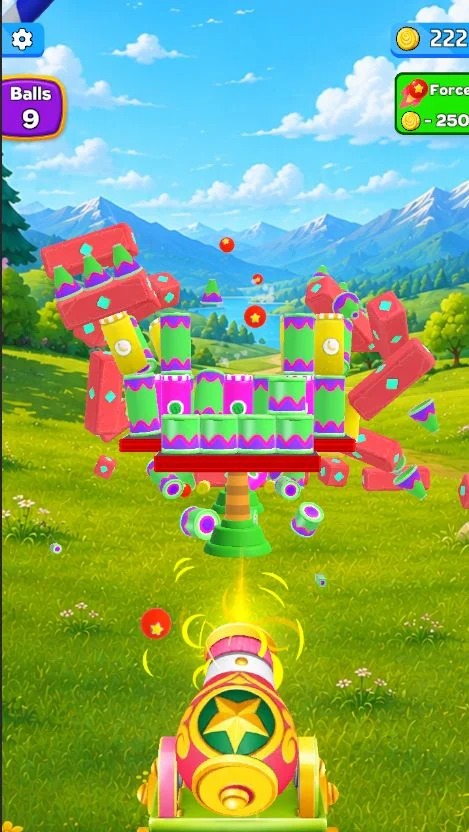
Smash Fest Cannon 3D is a fun destruction game in which players fire powerful cannonballs and smash different objects placed in each level. The game offers simple controls, colorful 3D graphics, smooth animations, and hundreds of challenges that become more difficult as the player moves forward.
This complete Unity project is suitable for developers who want to publish a casual mobile game without building everything from the beginning. You can change the graphics, sounds, game name, advertisements, shop items, and other elements to create your own version.
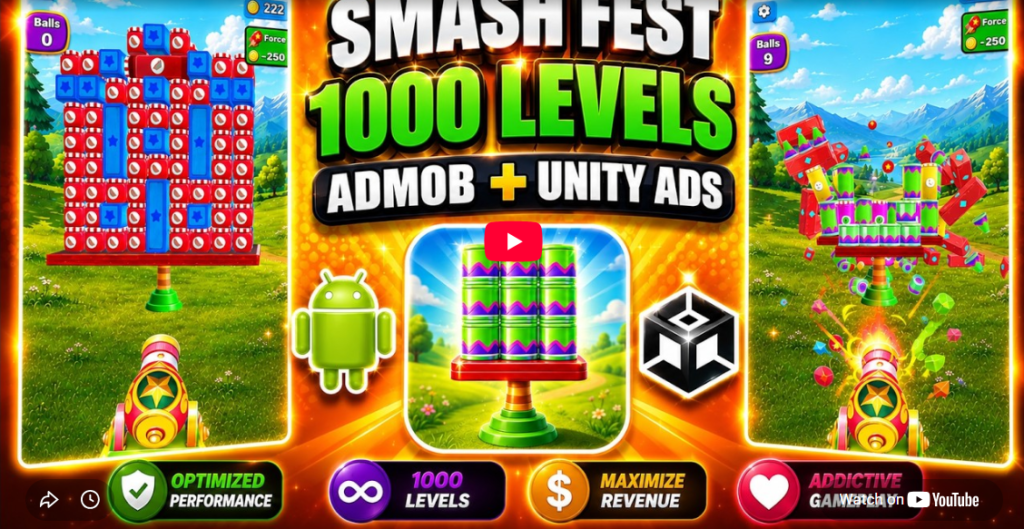
The project includes 1,000 playable levels, a cannon power-up system, a daily reward wheel, coins, in-app purchases, AdMob, and Unity Ads. It is built with Unity 6 and supports modern 64-bit Android publishing.
Game Overview
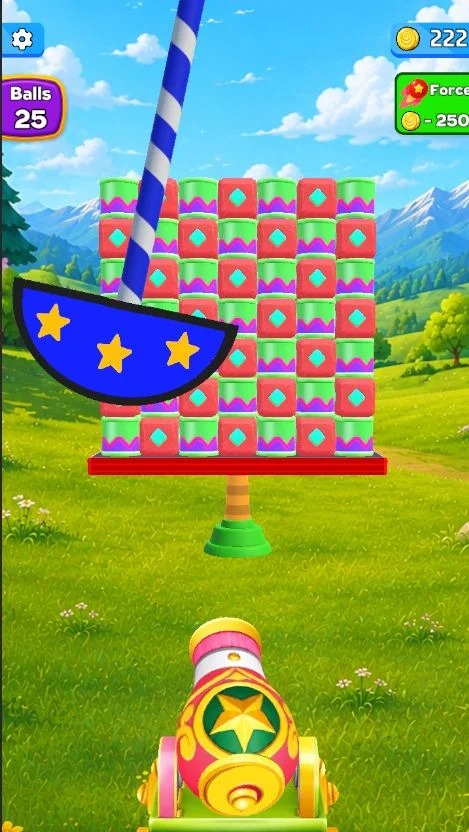
Smash Fest Cannon 3D gives players control of a cannon placed in front of different breakable objects. The main goal is to aim correctly, fire cannonballs, and destroy all required targets.
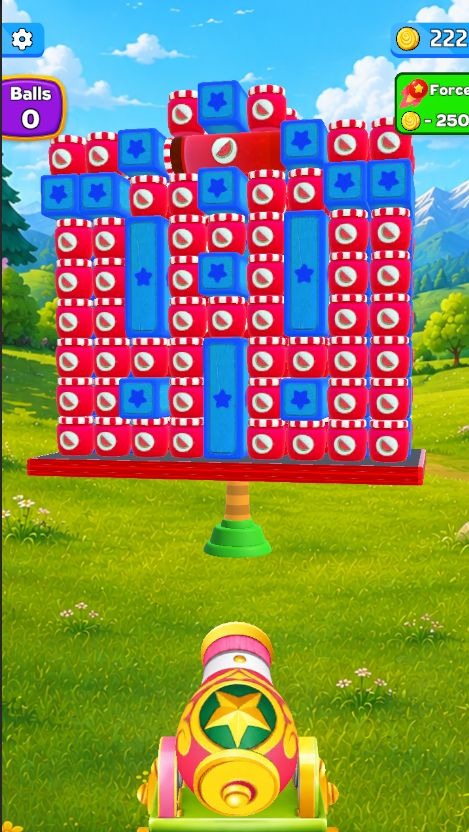
Some objects can be broken easily, while stronger stones and obstacles may require more force or several hits. Players must use their available shots carefully and improve the cannon’s power when needed.
The controls are simple enough for new players, but the increasing difficulty keeps the later stages challenging. Its quick gameplay makes it suitable for short mobile gaming sessions.


How to Play
Playing Smash Fest Cannon 3D is simple:
- Aim the cannon toward the objects.
- Tap the screen to fire a cannonball.
- Break jars, stones, and other targets.
- Complete the level before running out of available shots.
- Collect coins and rewards.
- Increase the cannon’s force to destroy stronger objects.
- Continue through new and more difficult stages.
The easy controls make the game suitable for players of different ages and skill levels.
Smash Different Objects
Each level contains breakable targets that react differently when hit by cannonballs.
Players may need to destroy:
- Fragile glass jars
- Heavy stone objects
- Stacked structures
- Strong level obstacles
- Multiple targets placed at different positions
The destruction effects and object movement make every successful shot feel satisfying.
1,000 Fun and Challenging Levels
The project includes 1,000 levels, giving players a large amount of content to complete. The level-based structure also helps create a clear sense of progress.
Early stages can introduce the basic controls, while later stages may include stronger objects, difficult target positions, and more complex arrangements.
A large number of levels can help improve player retention because users always have another challenge waiting for them.
Cannon Power Upgrade
Players can use the Increase Ball Force feature to make cannon shots more powerful.
A stronger cannon can help players:
- Break heavy objects
- Complete difficult levels
- Reduce the number of required shots
- Progress through challenging stages
- Improve their chance of winning
This upgrade system gives players another reason to collect coins and watch rewarded advertisements.
Fortune Wheel Rewards
The game includes a fortune wheel that can give players bonus rewards.
The reward wheel can be used to provide:
- Free coins
- Extra game rewards
- Daily bonuses
- Progress boosts
- Special prizes
This feature encourages players to return regularly and gives the game an additional engagement system.
Coin Collection and Shop
Players can collect coins while progressing through the game. These coins can be connected with upgrades, rewards, and shop items.
The included coin shop gives developers a ready-made system that can be customized according to their game plan.
You can change:
- Coin values
- Shop prices
- Reward amounts
- Product packages
- Upgrade costs
- Shop graphics
- Purchase buttons
The shop also supports in-app purchases. The seller notes that in-app purchases normally work after the application has been published and properly configured on the Google Play Store or Apple App Store.
Skip Difficult Levels
A skip-level feature is included for players who cannot complete a particular challenge.
This option can be connected with:
- Rewarded video advertisements
- Coins
- In-app purchases
- Free limited skips
- Daily rewards
Allowing players to skip difficult stages can reduce frustration and help them continue playing.
Key Features of Smash Fest Cannon 3D Unity Source Code
- Complete Unity game project
- 1,000 playable levels
- Fun cannon-shooting gameplay
- Breakable jars, stones, and objects
- Increase Ball Force power-up
- Fortune wheel reward system
- Coin collection system
- In-game coin shop
- In-app purchase support
- Skip-level feature
- AdMob integration
- Unity Ads integration
- Banner advertisement support through AdMob
- Interstitial advertisements
- Rewarded video advertisements
- Bright 3D graphics
- Smooth game animations
- Simple touch controls
- Mobile-friendly interface
- Phone and tablet optimization
- Android 64-bit support
- IL2CPP support
- ARM64 and AAB publishing support
- Easy-to-edit project structure
- Simple reskinning options
- Android and iOS publishing possibilities
- Unity 6 compatibility
- Documentation included
Advertising System
Smash Fest Cannon 3D includes both AdMob and Unity Ads integration. You can choose the advertising network that suits your publishing plan.
The project supports:
Banner Ads
Banner advertisements can be displayed in selected areas of the game interface. According to the original listing, banner support is available through AdMob.
Interstitial Ads
Full-screen interstitial advertisements can be shown between levels, after several completed stages, or at other suitable points.
Rewarded Video Ads
Rewarded advertisements can allow players to receive benefits in exchange for watching a video.
Possible rewarded-ad benefits include:
- Additional coins
- Stronger cannon force
- Level skips
- Fortune wheel spins
- Extra chances
- Bonus rewards
Advertisement placement should remain balanced so it does not interrupt gameplay too often.
Monetization Options
The source code gives developers several ways to monetize the finished game.
AdMob Advertising
Use banner, interstitial, and rewarded video advertisements to earn revenue from active players.
Unity Ads
Unity Ads can be used as another advertising option for interstitial and rewarded placements.
In-App Purchases
Sell coin packages, upgrades, level skips, or advertisement-removal options through the in-game shop.
Rewarded Upgrades
Allow users to watch advertisements to increase cannon force, collect bonus coins, or continue after losing.
Remove Ads Purchase
You can add a paid option that removes regular advertisements while keeping optional rewarded videos available.
Easy to Customize and Reskin
The project can be customized to create a different cannon game with your own theme and visual identity.
You can replace or edit:
- Game title
- Application icon
- Splash screen
- Main menu
- Background environments
- Cannon model
- Cannonball design
- Breakable objects
- Level colors
- Sound effects
- Background music
- User-interface buttons
- Coin graphics
- Shop products
- Reward-wheel design
- Advertisement IDs
- In-app purchase details
- Package name
- Store information
These changes can help transform the original project into a more unique game.
Reskin Ideas
You can use the core gameplay system to create different themes, such as:
- Pirate Cannon Destruction
- Castle Smash Challenge
- Space Blaster 3D
- Monster Cannon Attack
- Toy Block Destroyer
- Medieval Siege Cannon
- Fruit Smash Cannon
- Zombie Target Blaster
- Bottle Break Challenge
- Color Ball Destruction
- Building Demolition Cannon
- Fantasy Kingdom Smasher
Changing the objects, environment, cannon, interface, and sounds can give the game a completely different appearance.
Technical Specifications
| Detail | Information |
|---|---|
| Game Engine | Unity |
| Recommended Unity Version | Unity 6000.2.13f1 or a close compatible version |
| Project Type | 3D casual cannon game |
| Total Levels | 1,000 |
| Advertising | AdMob and Unity Ads |
| Ad Formats | Banner, interstitial, and rewarded |
| In-App Purchases | Included |
| Android 64-Bit | Supported |
| IL2CPP | Supported |
| ARM64 | Supported |
| Android App Bundle | Supported |
| Mobile Optimization | Phone and tablet |
| Publishing Platforms | Android, iOS, and other Unity-supported platforms |
| Included File Type | Unity project |
| Listed Project Size | Approximately 41 MB |
| Documentation | Included |
Supported Platforms
The project can be prepared for publishing on:
- Android smartphones
- Android tablets
- iPhone
- iPad
- Other platforms supported by Unity
Additional configuration may be required for each platform, especially for advertisements, in-app purchases, signing, and store publishing.
What You Will Get
After downloading the project, you will receive:
- Complete Smash Fest Cannon 3D Unity source code
- Game scenes and scripts
- 1,000 levels
- Cannon-shooting gameplay system
- Power upgrade feature
- Coin and reward systems
- Fortune wheel
- In-game shop
- In-app purchase setup
- AdMob integration
- Unity Ads integration
- Mobile-ready interface
- Game graphics and sounds
- Documentation for setup and customization
Who Can Use This Unity Project?
This Unity source code can be useful for:
- Beginner Unity developers
- Independent mobile game developers
- Game-reskinning businesses
- Students learning Unity
- Freelancers creating games for clients
- Small mobile-game studios
- Publishers looking for ready-made game projects
- Developers who want to study level-based game systems
Basic Unity and C# knowledge is recommended when making advanced modifications.
Why Use This Source Code?
Developing a complete mobile game from the beginning can require a large amount of time. A ready-made Unity project gives you a working foundation that can be edited and expanded.
With this source code, you can focus on:
- Creating a new visual theme
- Improving level design
- Adding original gameplay features
- Setting up monetization
- Preparing store graphics
- Testing the game
- Publishing your customized version
The included gameplay, levels, advertisements, shop, and reward systems reduce the amount of basic development work needed.
How to Open the Project
- Install a compatible version of Unity Hub.
- Install Unity 6000.2.13f1 or a close supported version.
- Extract the downloaded ZIP file.
- Open Unity Hub.
- Select Add Project from Disk.
- Choose the extracted project folder.
- Allow Unity to import the project files.
- Open the main game scene.
- Test the game inside the Unity Editor.
- Read the included documentation before changing advertisements or in-app purchases.
Always create a backup of the original files before making major changes.
How to Prepare the Game for Publishing
Before uploading the game to an application store, you should:
- Change the package name
- Add your company or developer name
- Replace the game icon
- Replace the splash screen
- Update the game title
- Add your AdMob or Unity Ads IDs
- Configure in-app purchase products
- Update the privacy policy
- Check Android SDK settings
- Configure app signing
- Create an Android App Bundle
- Test the game on real mobile devices
- Check advertisements and purchases
- Prepare screenshots and store graphics
- Write an original store description
- Review Google Play or App Store policies
Customization Recommendations
To make your published game more original, avoid changing only the title and icon.
For a stronger reskin, update:
- The cannon and cannonball models
- All major environments
- Breakable target objects
- Menu design
- Level colors and lighting
- Sound effects and music
- Reward-wheel design
- Shop layout
- Upgrade values
- Level arrangements
- Game progression
- Advertisement frequency
Adding new mechanics and original assets can further separate your game from the base project.
Important Notes
- Test the complete project before publishing.
- Replace all advertisement IDs with your own IDs.
- Configure in-app purchase products inside the relevant app store.
- Use original graphics, titles, descriptions, and store assets.
- Review third-party assets and licences included with the project.
- Keep a backup before updating the Unity version.
- Some plugins may require updates when using a different Unity release.
- In-app purchases usually cannot be fully tested until store products and testing accounts are configured.
- Store approval is not guaranteed and depends on the policies of each publishing platform.
Frequently Asked Questions
Is this a complete Unity project?
Yes. The package is listed as a complete Unity source-code project containing the game systems, levels, advertisements, shop, rewards, and documentation.
How many levels are included?
The original listing states that the project contains 1,000 fun and challenging levels.
Which Unity version should I use?
The recommended version is Unity 6000.2.13f1. A nearby compatible Unity 6 version may also work, but you should make a backup before upgrading or downgrading the project.
Does the game include advertisements?
Yes. AdMob and Unity Ads are integrated. The listed advertisement formats include banner, interstitial, and rewarded video ads.
Does it support in-app purchases?
Yes. A coin shop with in-app purchases is included. You will need to create and configure your own store products before publishing.
Can I change the game graphics?
Yes. You can replace the cannon, environments, objects, interface, icons, sounds, music, and other visual elements.
Download Smash Fest Cannon 3D Unity Source Code
Start creating your own cannon-smashing mobile game with this complete Unity project. Customize the graphics, update the levels, configure your advertisements, add your store information, and prepare a unique version for mobile publishing.
Download Smash Fest Cannon 3D Unity source code and begin building your customized destruction game today.